




























































































The MX Master 3S became the default mouse for designers, developers and anyone who lives in spreadsheets. Its one well-known weakness was the soft rubber coating, which turns sticky, shiny or starts peeling after long daily use. The MX Master 4 is out now, so here is what actually changed, whether Logitech fixed the rubber problem, and which one makes sense for you.
Quick verdict
- MX Master 4: harder, textured plastic on most of the shell, a new haptic thumb area, same familiar shape. Better for the long run, but $120.
- MX Master 3S: still an excellent mouse and usually cheaper, but its soft coating wears with time.
- Already own a 3S with a sticky or peeling grip? You don't need a new mouse. A skin cut for the 3S covers it for $18.99.
MX Master 4 skins · MX Master 3S skins · from $18.99
What changed from the MX Master 3S to the MX Master 4
- Materials. The 3S is covered mostly in a soft, rubbery coating. The 4 swaps most of that for a harder, lightly textured matte plastic. Silicone remains on the thumb rest and the side pads (Engadget's review).
- Haptic feedback. The thumb area now has a haptic panel that gives you a small physical click for shortcuts and actions.
- Shape. The overall shape stays close to the 3S, so it still feels like an MX Master in the hand.
- Price and launch. The MX Master 4 launched in October 2025 at $120.
Did Logitech fix the rubber grip problem?
Mostly, yes. On the MX Master 3 and 3S, the soft coating covers most of the mouse. After a year or two of daily use, sweat, skin oils and heat break it down: it gets sticky, shiny and eventually peels, as our own customer reviews describe. Our guide to the MX Master 3 and 3S rubber problem covers why it happens and how to fix it.
The MX Master 4's harder plastic shell should not break down the same way, and early reviews report no wear. Two things are worth knowing, though:
- The thumb rest and side pads are still soft silicone. These are exactly the areas your hand touches most, and exactly where the 3S wore out first.
- It is still new. The MX Master 4 has only been on sale since late 2025. How the silicone and the matte finish look after two years of daily use is not known yet.
Which one should you buy?
- Buy the MX Master 4 if you are buying new and want the longest-lasting materials and the haptic thumb panel.
- Buy the MX Master 3S if you find it at a good price and don't need haptics. Protect the coating from day one and it will stay looking new.
- Keep your 3S if it works fine and only the grip is worn. A skin is a lot cheaper than a new $120 mouse.

Protect your MX Master 4 from day one
A new MX Master 4 is the easiest mouse to keep looking new, because nothing has touched it yet. A skin applied on day one:
- Keeps oils and sweat off the shell, including the thumb wing, where your hand rests all day.
- Stops scuffs, shine and marks on the matte finish, so the mouse underneath stays like new for resale.
- Makes it yours: Forged Carbon, Carbon Fibre Black, Black Camo, Black Matrix, Storm, Galaxy, Lava and more.
Capes skins for the MX Master 4 are cut specifically for its shape, not reused from the 3S. They're made from 3M vinyl, which keeps the feel of the mouse and peels off without residue. Warm the pieces with a hairdryer as you apply them so they settle into the curves.
Shop MX Master 4 skins →
Shop MX Master 3S skins →
Shop MX Master 3 skins →
Tip: wipe the mouse with the 5-in-1 Tech Cleaner before applying, so the skin sticks to a clean surface.
FAQ
Does the MX Master 4 have the same rubber problem as the 3S?
Much less of it. Most of the shell is now hard textured plastic. The thumb rest and side pads are still soft silicone, so those are the areas to protect.
Will an MX Master 3S skin fit the MX Master 4?
No. The shapes and buttons differ, so each model has its own cut. Choose the skin for your exact model.
Is the MX Master 4 worth upgrading to from a 3S?
If you want haptic feedback and more durable materials, yes. If your 3S works well and only the grip looks worn, a skin fixes that for much less.
Can I remove the skin later?
Yes. The 3M vinyl comes off cleanly without residue.
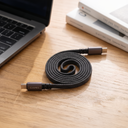
![MagLock 4-in-1 Flat Magnetic 240W Fast Charging Cable [1M]](http://capes.co/cdn/shop/articles/cable_hero_shot.jpg?v=1791453940&width=2080)

Leave a comment
This site is protected by hCaptcha and the hCaptcha Privacy Policy and Terms of Service apply.