

















































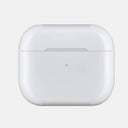


































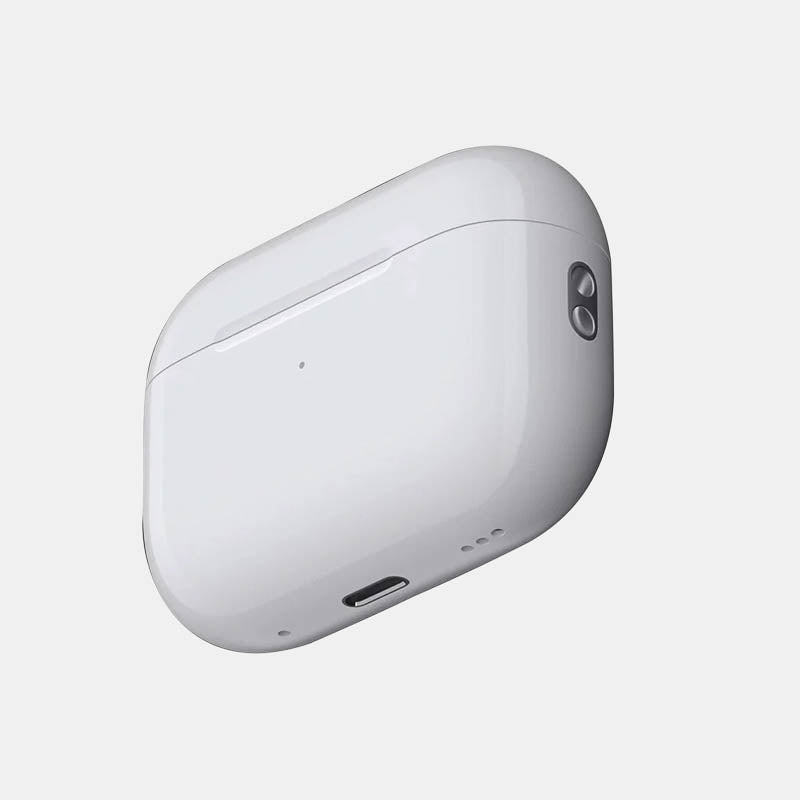
Quick answer: Wipe the outside with a soft, dry, lint-free cloth, slightly dampened with isopropyl alcohol only if needed. Clear lint from the charging port with a clean, dry, soft-bristled brush, and never push anything into the port or let liquid get in. Brush out the earbud wells and lid edge the same way, then let the case dry.
An AirPods case lives in pockets and bags, so it collects lint, grime and the gray marks that make a white case look old. The good news is that cleaning it is quick. The bad news is that the usual shortcuts (a toothpick in the port, a wet wipe, a magic eraser) are exactly what Apple tells you not to use.
Below are Apple's own steps, then the parts Apple doesn't cover: inside the case, the lid and hinge, stains, and how to keep it clean afterwards.
How does Apple say to clean an AirPods case?
Apple's steps are the same for AirPods and AirPods Pro cases: a dry cloth, a dry brush, and alcohol only on the cloth and only if needed.
- Clear the charging port: remove any debris with a clean, dry, soft-bristled brush. Apple says not to put anything into the charging port, to avoid damaging the metal contacts.
- Wipe the case: use a soft, dry, lint-free cloth. If necessary, dampen the cloth slightly with isopropyl alcohol.
- Let it dry before you charge it or put the AirPods back.
Apple's rules: don't get any liquid in the charging port, and don't use abrasive materials on the case. Sources: Apple Support, How to clean your AirPods and How to clean your AirPods Pro.
How do I clean inside the AirPods case?
Use the same dry, soft-bristled brush on the earbud wells, the lid and the hinge, and a dry cloth for the flat surfaces. Apple's pages don't give separate steps for the inside, so stay with dry tools.
- Earbud wells: brush in small circles to lift lint and earwax, then tip the case upside down and tap it gently on your palm.
- Lid edge and hinge: grime builds up where the lid meets the case. Brush along the seam; a cloth slightly dampened with isopropyl alcohol can follow on the outer rim, kept away from the wells and port.
- Metal specks: the case has magnets, so tiny metal particles from pockets can stick inside. Brush them out; don't dig with tweezers, pins or anything metal.
- Clean the AirPods too: putting dirty buds into a clean case just moves the grime back. Apple says to let AirPods dry for at least two hours after cleaning before they go back in the case.
How do I clean the charging port and contacts if the case won't charge?
Brush the port gently with a dry, soft-bristled brush and nothing else. Lint packed into the port is a common reason a cable stops seating fully.
If the AirPods themselves aren't charging in the case, check the bottom of each earbud well, where the buds touch the case's charging contacts. Brush away lint or wax there with the dry brush, wipe the bottom of each AirPod with a dry cloth, and try again. If it still won't charge, contact Apple Support rather than going in with something sharper.
How do I remove stains and black marks from the outside?
Most gray and black marks are surface grime and come off with a lint-free cloth slightly dampened with isopropyl alcohol. Work in small circles, then dry the case with a clean cloth.
Marks that stay after that are usually scratches holding dirt, or discoloration in the plastic itself. Cleaning won't reverse those, and rubbing harder with an abrasive will only add more scratches.
| Use | Avoid | Why |
|---|---|---|
| Soft, dry, lint-free cloth | Paper towel, rough fabric | Rough materials leave fine scratches on the glossy case |
| Isopropyl alcohol, on the cloth, slightly damp | Spraying or pouring any liquid onto the case | Apple says no liquid in the charging port |
| Clean, dry, soft-bristled brush | Toothpicks, pins, needles, tweezers | Apple says not to put anything in the port; metal can damage the contacts |
| Patience and a dry cloth for stains | Magic erasers, toothpaste, scouring pads | These are abrasive, and Apple says not to use abrasive materials on the case |
| Letting everything dry fully | Charging straight after cleaning | Moisture and charging don't mix |
How do I keep my AirPods case clean?
Keep it away from the things that dirty it, clean it little and often, and cover the outside if it lives in a pocket.
- Pocket on its own: keys and coins scratch it, and lint packs into the port. A separate pocket or bag slot helps.
- Wipe it weekly: a dry cloth every week or so stops grime building into stains.
- Clean hands, clean buds: sunscreen, lotion and hair products transfer to the case and the earbuds.
- Cover the outside: a skin takes the scratches and grime instead of the white plastic, and it is easy to wipe.
Capes AirPods skins are cut for each case model. The AirPods Pro 2 kit has two case pieces, a microfiber cloth and an application guide, and the product page notes that the charging port and buttons stay accessible and MagSafe charging still works with the skin on.
Cover the case once it's clean
Find your model in earbud skins: AirPods (1st and 2nd generation, with or without wireless charging), AirPods 3, AirPods Pro and AirPods Pro 2. For headphones, see the AirPods Max skin. We don't list skins for AirPods 4, AirPods 5 or AirPods Pro 3; tell us your model if that's what you have.
In India? Shop on capesindia.com.
FAQ
Can I use alcohol wipes on an AirPods case?
Apple's steps use a soft, lint-free cloth slightly dampened with isopropyl alcohol, if necessary. If you use a wipe, squeeze it out first so it is only slightly damp, and keep it away from the charging port.
How do I clean an AirPods case without alcohol?
Use a soft, dry, lint-free cloth for the outside and a clean, dry, soft-bristled brush for the port, wells and lid seam. Dry cleaning removes most everyday grime; alcohol is only for marks that won't come off.
Can I use a toothpick or pin to clean the charging port?
No. Apple says not to put anything in the charging port, because it can damage the metal contacts. Use a clean, dry, soft-bristled brush instead.
How do I get black stuff off my AirPods case?
Wipe the marks with a lint-free cloth slightly dampened with isopropyl alcohol, then dry the case. If a mark stays, it is usually a scratch or discoloration in the plastic, which cleaning can't reverse.
Can I clean the case with a skin on it?
Yes. Wipe the skin with a dry or slightly damp cloth and brush the inside as usual. Don't scrub at the skin's edges or soak them.
Written by Capes. Last checked: 9 October 2026.

![MagLock 4-in-1 Flat Magnetic 240W Fast Charging Cable [1M]](http://capes.co/cdn/shop/articles/cable_hero_shot.jpg?v=1791453940&width=2080)

Leave a comment
This site is protected by hCaptcha and the hCaptcha Privacy Policy and Terms of Service apply.